1. netstat --listen
To check which ports are in listening in Linux Server

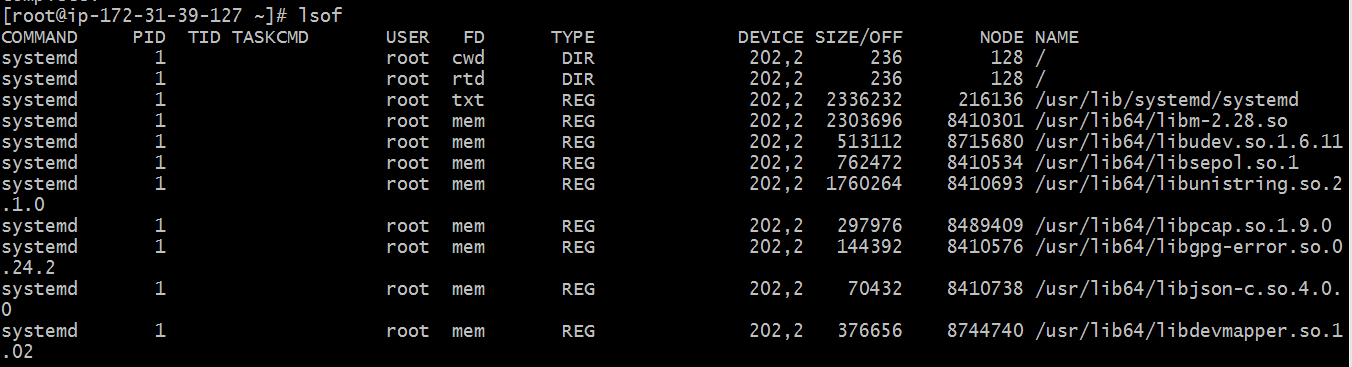
2.lsof
lsof means List of file, we can know which file is opened by which process.


6.df


To check which ports are in listening in Linux Server
2.lsof
lsof means List of file, we can know which file is opened by which process.
3.systemctl status
To check status of the service
4. ps -ef | grep httpd
To check process
5. top
5. top
By this top command to determine which processes are running and how much memory and CPU they are consuming.
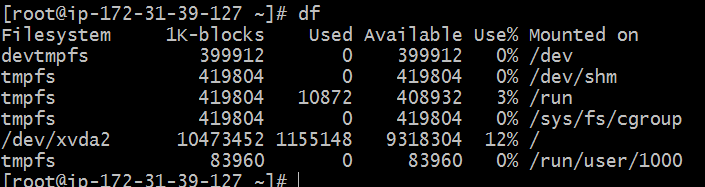
6.df
df stands for display free disk space we can use df command to troubleshoot disk space issues.
7.df -h
This command show free space on mounted file systems.
8.fdisk -l
fdisk -I command show disks partitions sizes and types.
9.free - h
free command gives you a summary of the memory usage with our computer. It does this for both the main Random Access Memory (RAM) and swap memory also.
10. kill
kill command allows you to terminate a process from the command line.
11. ping google.com
ping command lets verify that you have network connectivity with another network device.
12. find command by using this you can find the file if you forgot where you place
13.How to change file permissions?

Here we have file1 file permission of this file is taken by
Permission numbers are:
0 = ---
1 = --x
2 = -w-
3 = -wx
4 = r-
5 = r-x
6 = rw-
7 = rwx
file1 permission is 644
Now i am going to change file permission for this file1


so now our file1 permission is 755 after using chmod 755 file1
Thankyou so much for this Nice Information. Very usefull Blog.
ReplyDeleteDevOps Training
DevOps Online Training
Thanks
DeleteThanks
ReplyDelete